

Introduction: Why Udemy Business Pricing Matters in 2026
The corporate learning world has changed fast. By 2026, U.S. training budgets hit $102.8 billion, according to recent corporate training market research. Companies are investing heavily in upskilling their teams. But learning leaders face a tough job. They need to pick the right platform without overspending.

That’s where understanding Udemy Business pricing becomes critical.
Udemy Business is a top option for professional development. But how does its pricing stack up against other platforms? Many teams compare Coursera vs Udemy to find the best fit. With so many online courses for professional development available, choosing wisely matters more than ever. If you’re also looking into short-term credentials, check out our list of 6-month certificate programs employers trust in 2026.
This guide gives you the full picture. We break down every Udemy Business pricing tier. We look at features, hidden costs, and ways to negotiate a better deal. Whether you’re exploring certificate programs or looking for the best AI courses on Coursera, you need clear pricing facts to decide.
We also cover how Udemy Business fits into the larger learning landscape. By the end, you’ll know exactly what to ask before signing a contract. Let’s dive into what makes Udemy Business pricing a key decision for 2026.
Udemy Business Plans and Core Features in 2026
Let’s break down the two main plans Udemy Business offers.
The choice is pretty straightforward for most teams.
First, there is the Team Plan. This plan works for small to midsize teams of 2 to 20 users. The cost is $360 per user each year, based on Udemy Business pricing details from TrustRadius. That breaks down to $30 per user per month when billed annually. It is a simple, predictable price for smaller groups.
Second, the Enterprise Plan is for larger organizations with 21 or more users. Pricing is custom. You get a quote based on your team size, specific needs, and any add-ons you want. The Enterprise Plan includes extra features like single sign-on (SSO), API access, advanced analytics, and custom learning paths. You can compare the full list of features in the Team Plan FAQ from Udemy Business.
Both plans give your team access to over 15,000 online courses for professional development. You get structured learning paths to guide skill building, detailed analytics to track progress, and course completion certificates. That is a big help if your team is working toward certificate programs to boost their resumes.
The core difference comes down to control. Enterprise gives admins more power to customize content, integrate with existing HR systems, and run deeper reports. Team keeps things simpler with fewer admin options, which is fine for smaller teams that do not need heavy customization.
For a complete walkthrough of both plans and what to consider before you sign, check out our full Udemy Business pricing guide for learning leaders. It covers everything you need to know to pick the right fit.
Udemy Business Team Plan Pricing (Up to 20 Users)
If you are leading a small team of up to 20 people, the Team Plan is your most straightforward option. The cost is clear and predictable. You pay $360 per user each year. That comes out to $30 per user per month when billed annually. You can see this number confirmed in the Udemy pricing plans overview from CheckThat.
Now, what do you get for that price?
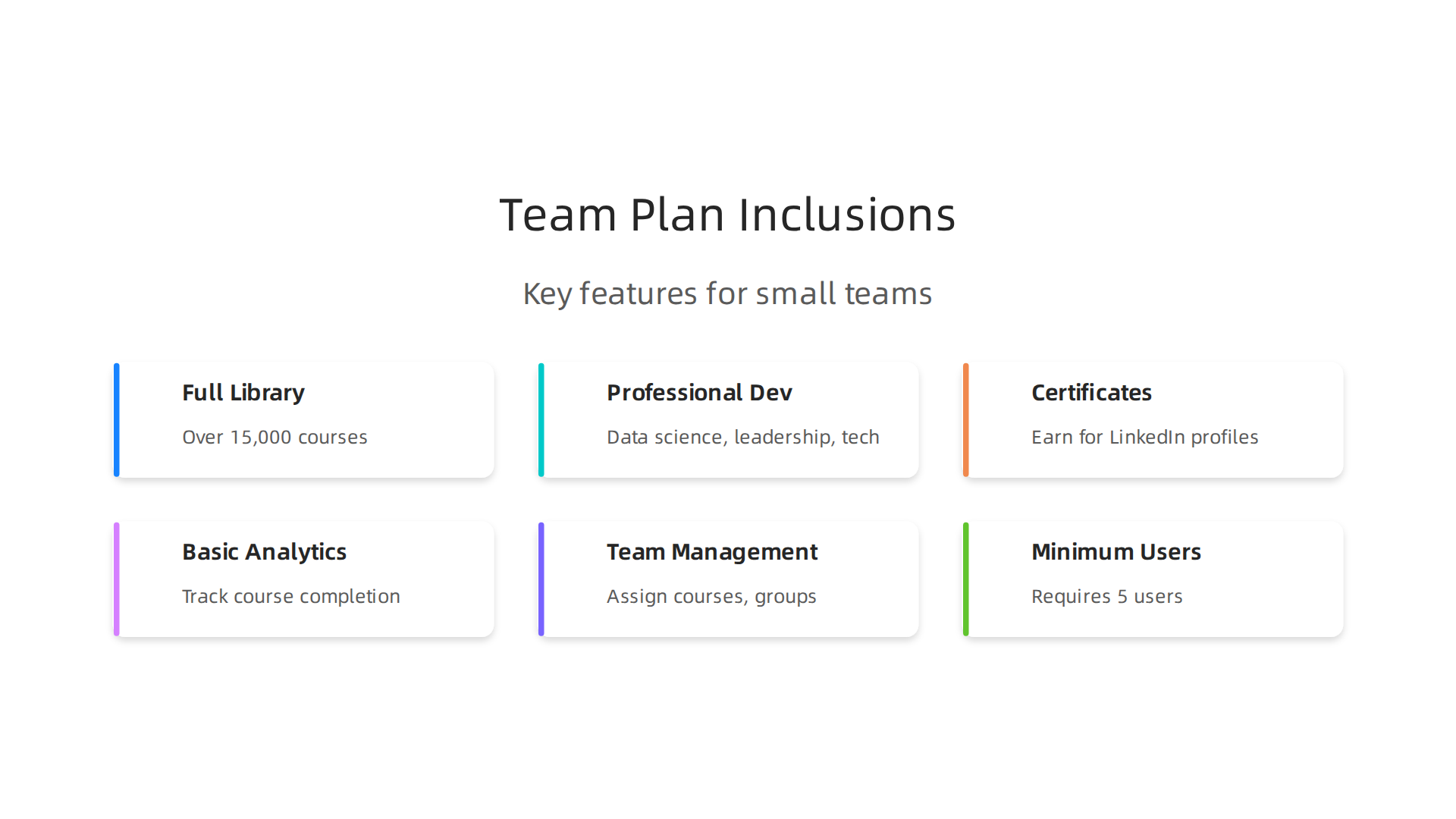
The plan includes access to the full library of over 15,000 courses. Your team can take online courses for professional development in areas like data science, leadership, and tech skills. They also earn certificate programs they can add to their LinkedIn profiles.
You also get basic analytics to track course completion and progress. Team management features let you assign courses and create learning groups. This helps you keep everyone on the same page. Note that the Team Plan requires a minimum of 5 users, according to the Udemy Business plans wiki on Career Karma. So if your team is smaller than 5, you may need to group up with others or start with individual course purchases first.

Some people wonder if there are volume discounts. The standard price is $360 per user per year. But data from real transactions shows that some teams pay as little as $240 per user or as much as $600, depending on negotiation and timing. You can read more in the Udemy Software Pricing report on Vendr. So if you are at the higher end of the user range (say 15 to 20 people), it is worth asking about a discounted rate when you commit annually.
If you are comparing platforms like Coursera vs Udemy, Udemy Business tends to be more affordable for smaller teams. Coursera often costs more per user, but it offers more structured university-style courses. For practical, hands-on skill building, Udemy is a solid choice.
For a deeper look at how critical thinking fits into your learning journey, check out our guide on online courses for business analysts that sharpen critical thinking. It pairs well with the professional development courses available through Udemy Business.
Udemy Business Enterprise Plan Pricing (Unlimited Users)
So what happens when your team grows past 20 people? Or when you need more control over your learning programs? That is where the Enterprise plan comes in. It is built for larger organizations and offers much more than the Team plan.
Here is the thing: Udemy does not publish a fixed price for the Enterprise plan. You have to contact their sales team to get a custom quote. Based on what other companies have shared, the typical cost ranges from $25,000 to over $100,000 per year. The final number depends on how many users you have and what features you need. You can check the Udemy Business pricing overview from TrustRadius to see that this range matches real customer reports.
Why is the cost so wide? Because the Enterprise plan comes with powerful extras. You get custom content tailored to your company’s goals. You also get API access so you can connect Udemy with your existing HR or learning systems. Dedicated support means a real person helps you with setup and troubleshooting. And advanced reporting lets you track skill gaps, engagement, and learning outcomes across your whole organization.
These features make the Enterprise plan a strong choice if you are comparing options like Coursera vs Udemy. Coursera offers university-style certificates, while Udemy Enterprise gives you hands-on, practical courses plus the ability to build your own content. If your team needs certificate programs for compliance or upskilling, Udemy’s library has thousands to choose from.
Because enterprise learning often focuses on improving workplace judgment and decision-making, you might want to pair your Udemy courses with training in logical thinking. Our guide on take a critical thinking course to sharpen your workplace judgment shows how foundational skills support any professional development plan.
A quick tip: if you think your organization needs the Enterprise plan, start the sales conversation early. Give them details on your team size, industry, and must-have features. That way you get a quote that fits your actual needs. And do not be shy about asking for a demo first to see the advanced reporting in action.
Additional Features and Add-On Costs
Now that you have a good picture of what the Enterprise plan includes, you might wonder about extra features that could add to your total cost. Some features are free with both the Team and Enterprise plans. Others may cost extra depending on what you need.
Here is what is included at no extra cost with any Udemy Business plan: full access to the course library, user management dashboards, basic reporting, and standard support. These core tools let you get started right away.
So what might cost extra? Here are some features that often come with an additional price tag:
- Premium content packs. These are curated collections of top-rated courses on specific topics like AI or leadership. They go beyond the standard library.
- Custom learning paths. Your team builds its own training sequences. This requires more setup and personalization, so it may cost more.
- Single sign-on (SSO). If your company uses tools like Okta or Azure AD, adding SSO for secure login can be an extra charge.
- Audit trails. For regulated industries, detailed logs of who took what course and when may be billed separately.
The good news is that many of these add-ons can be negotiated into your Enterprise contract from the start. Do not assume they are automatically extra. Ask your sales rep upfront what is included in the base price and what would be an upgrade.
For example, if you want to build custom learning paths that include critical thinking training, you might look at resources like these online courses for business analyst that sharpen critical thinking. Pairing Udemy’s hands-on content with foundational thinking skills can make your program stronger.
Udemy also offers a Premium Support service for enterprise customers. This gives you priority help and faster response times. You can find more details in their Udemy Business support portal about premium plans.
And if your team is digging into data from your learning reports, you might want to explore a structured approach to data projects. The white paper on CRISP-DM and Skylab USA explains a proven data methodology that can guide your decisions.
Bottom line: when you sit down to negotiate your Udemy Business pricing, have a clear list of must-have features. That way you can decide which add-ons are worth paying for and which ones you can skip.
Udemy Business vs. Coursera for Teams (2026 Pricing)
So you know what Udemy Business offers. But maybe you are also looking at Coursera for Teams. That is a smart move. Comparing the two helps you find the best fit for your team’s budget and goals.
Let us look at how they stack up in 2026.
Coursera for Teams costs about $399 per user per year. That number comes straight from their official plans. You need at least 5 users to get started. So the minimum yearly bill is around $2,000. You can see the full Coursera pricing breakdown for 2026 to compare the plans.
Udemy Business pricing is different. Udemy’s Team plan usually lands around $360 per user per year (though exact numbers can vary by negotiation). There is no minimum seat count listed publicly, so small teams may find Udemy more flexible. If you want a deeper look at Udemy’s numbers, check out this Udemy Business pricing guide for learning leaders.
The Real Difference: Credentials vs. Skills
The biggest difference is not the price. It is what you get.
- Coursera focuses on university-accredited courses. You get certificates from schools like Stanford, Yale, and Google. If your team needs formal credentials for career growth or compliance, Coursera is the stronger choice. They also offer Professional Certificates that employers recognize widely.
- Udemy Business focuses on hands-on, practical skills. The courses are taught by industry experts, not university professors. If your team needs to learn a specific tool or skill fast like data analysis or project management Udemy is often faster and more direct.
So which one is better for you? It depends on your training goals.
| Factor | Udemy Business | Coursera for Teams |
|---|---|---|
| Typical cost per user/year | ~$360 | ~$399 |
| Minimum users | None publicly stated | 5 users |
| Course focus | Industry skills | University credentials |
| Best for | Quick upskilling | Formal certifications |
A Quick Example
Say you want your team to take the best AI courses on Coursera because they are taught by top researchers and include verified certificates. That makes sense for roles where accreditation matters. But if your goal is to get marketers up to speed on new social media tools in two weeks, Udemy’s library of practical, short courses might serve you better.
Final Thought
Neither platform is "better." The right choice depends on whether your team needs credentials or real-world skills Udemy Business pricing gives you more budget-friendly access to practical training, while Coursera for Teams offers the prestige of recognized certificates.
Think about your team’s long-term goals. Then pick the platform that matches.
Udemy Business vs. LinkedIn Learning Hub (2026 Pricing)
Maybe you are also thinking about LinkedIn Learning Hub for your team. It is another big player in the online training world. And in 2026, it offers strong competition to Udemy Business.
LinkedIn Learning Hub pricing typically starts around $379 per user per year for teams. That puts it between Udemy Business at about $360 and Coursera for Teams at $399. But the real value here is not just the price. It is how LinkedIn Learning Hub connects to your professional life.
What Makes LinkedIn Learning Hub Different
LinkedIn Learning Hub has some unique features that Udemy Business does not match.
- Personalized course recommendations. The platform uses your LinkedIn profile data to suggest courses that fit your current role and career goals. This makes it feel like a custom learning path just for you.
- Skill assessments built in. You can test your existing skills and see where you need to improve. No need to guess what to learn next.
- Native LinkedIn integration. Your completed courses automatically appear on your LinkedIn profile. That means recruiters and managers can see your new skills without you having to update anything.
These features make LinkedIn Learning Hub a strong choice if career growth and professional networking matter most to your team.

For a deeper look at how to leverage certificate programs for career advancement, check out these 6-month certificate programs employers trust in 2026.
The Trade-offs
No platform is perfect. Here is what you give up with LinkedIn Learning Hub compared to Udemy Business.
- Smaller content library. Udemy Business has over 22,000 courses. LinkedIn Learning Hub has about 16,000. If you want the widest selection of practical skills, Udemy wins.
- Less hands-on focus. LinkedIn courses lean toward professional development and soft skills. Udemy offers more technical, tool-specific training for roles like data analysis or software engineering.
- Networking vs. skill depth. LinkedIn Learning Hub helps you build your professional brand. Udemy Business helps you build hard skills fast.
Which One Should You Pick?
Think about your team’s main goal. If they need to boost their LinkedIn presence and earn recognized certificates for career moves, LinkedIn Learning Hub is a smart buy. If they need to learn a specific technical skill quickly without worrying about profile badges, Udemy Business pricing still gives you the best access to a huge library of practical courses.
Evaluating ROI: Is Udemy Business Worth the Investment?
So you have compared platforms and looked at the Udemy Business pricing numbers. But value is about more than just the cost. You also need to know if your investment is actually paying off. Let’s talk about ROI.
The Metrics That Matter
To know if Udemy Business is worth it for your team, you need to track a few key numbers.
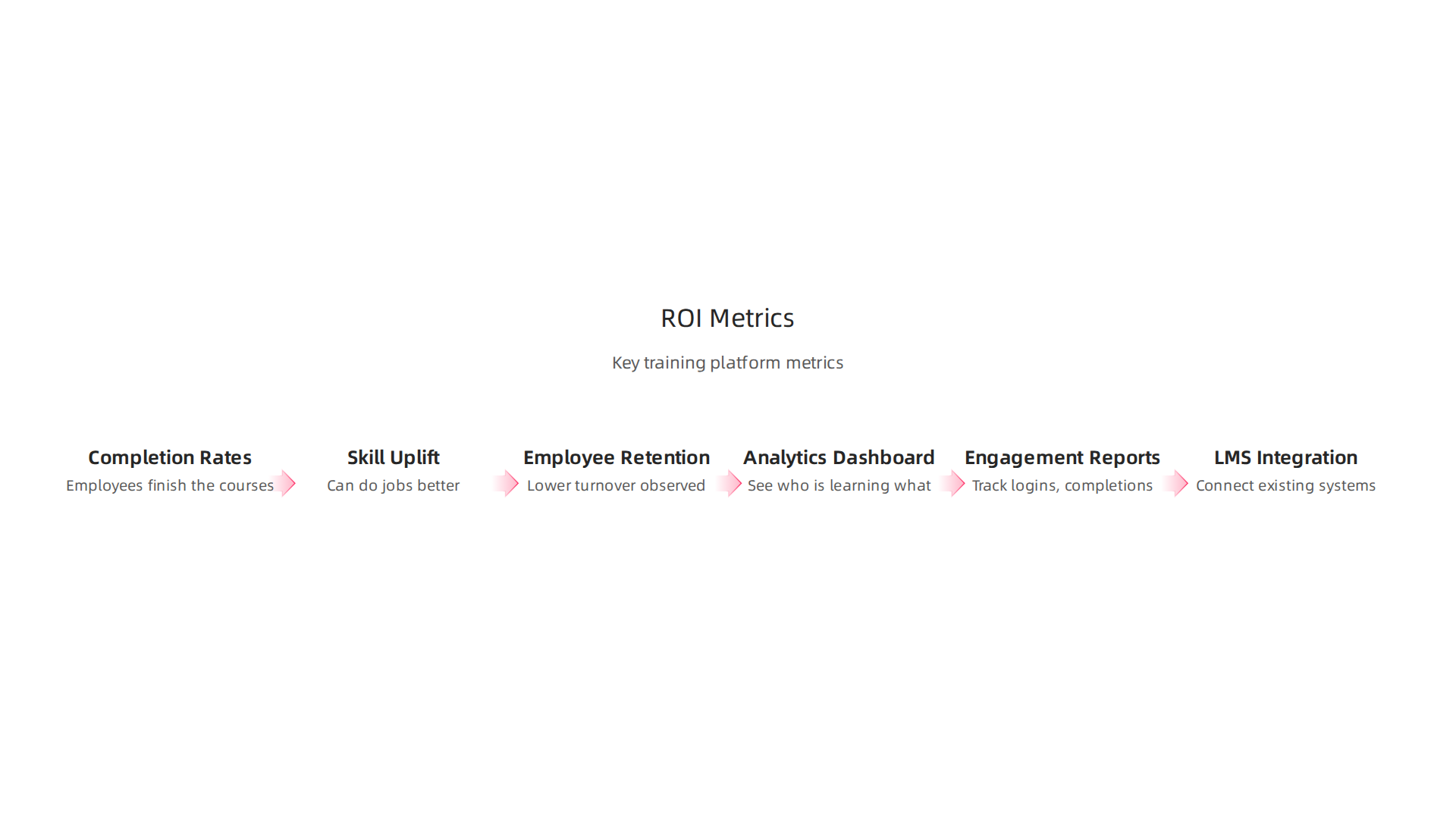
- Course completion rates. It is one thing to buy licenses. It is another for employees to actually finish the courses. Udemy Business completion rates often beat other online training options because the courses are shorter and more practical.
- Skill uplift. Can your team do their jobs better after training? That could mean faster coding, better data analysis, or stronger communication. You can measure this with before-and-after assessments.
- Employee retention. People who feel invested in often stay longer. Many companies see lower turnover when they offer good learning benefits.
Real World Results
Some teams are already seeing big savings with Udemy Business. One case study from Betterworks found that companies using Udemy achieved up to a 30% reduction in training costs compared to in-person alternatives.
You can read the full Udemy case study from Betterworks to see the numbers yourself.
That kind of savings adds up fast. And it is not just about money. Faster skill building means your team can adapt to new tools and workflows without waiting for a classroom session.
Tools to Track Your ROI
Udemy Business gives you several ways to measure success.
- Analytics dashboard. See who is learning what, which courses are popular, and how much time your team is spending.
- Engagement reports. Track logins, course starts, and completions across departments or locations.
- LMS integration. Connect Udemy Business to your existing learning management system so all data lives in one place.
If you want a deeper framework for using data to measure learning outcomes, check out the CRISP-DM and Skylab USA white paper. It documents a data methodology that can help you build better reports and prove the value of your training programs.
Making the Decision
For most teams, Udemy Business pays for itself within a year if you focus on high-demand skills. The key is to set clear goals from day one and check your metrics every quarter. Want to explore more about how to structure your learning strategy? Take a look at this Udemy Business pricing practical guide for extra tips on getting the most out of your investment.
Negotiation Strategies for the Best Udemy Business Price
Here is a secret that many learning leaders miss. The Udemy Business pricing you see on the website is not set in stone. Most enterprise contracts involve some back and forth. If you come prepared, you can walk away with a much better rate.

What You Can Actually Negotiate
Udemy’s sales team has a range of flexibility. Focus on these areas.
- Annual billing over monthly billing. This is the easiest win. Most companies save between 10% and 20% just by paying for a full year upfront instead of month to month.
- Volume discounts for larger teams. If you have more than 100 or 500 users, ask about tiered pricing. The per-user rate often drops significantly at higher volumes.
- Multi-year commitments. A two or three year contract gives Udemy predictable revenue. In return, they may offer a lower annual rate.
- Bundled features. Ask if premium features like custom content or advanced analytics can be added at a reduced cost.
Come to the Table Prepared
Before you call a sales rep, know your numbers. How many users do you actually need? Which features are must-haves versus nice-to-haves? Also research what competitors offer. If you are also considering platforms like Coursera or LinkedIn Learning, you can use that as leverage. Check out this Udemy Alternatives 2026 comparison to see how other tools stack up on price and features.
Request a Pilot First
If leadership is unsure, ask for a pilot with a smaller group. Let 20 or 30 employees try Udemy Business for a month. If engagement is high and skills improve, you have real data to justify a full rollout.
The Bigger Picture
Negotiation is really about critical thinking. You evaluate trade-offs, understand what the other side values, and make a clear decision. Developing strong critical thinking skills helps you approach these conversations with confidence and clarity. That skill also helps you get better deals on every tool your team needs.
Summary
This article explains Udemy Business pricing in 2026 and gives learning leaders the facts they need to pick the right plan. It breaks down the two main offerings — the Team Plan (about $360 per user per year) and the custom-priced Enterprise Plan (commonly $25,000–$100,000+ annually) — and compares what each includes, from core course access to advanced features like SSO, API access, and custom learning paths. You’ll learn which extra features often add cost, how Udemy stacks up against Coursera and LinkedIn Learning Hub, and which platform suits credentials versus hands-on skills. The guide also shows how to measure ROI with completion, skill uplift, and retention metrics, and gives practical negotiation strategies (annual billing, volume discounts, pilots) to lower your total spend. By the end you’ll know what to ask sales, which metrics to track, and how to decide whether Udemy Business fits your organization’s learning goals.