

Introduction
If you use QuickBooks for your business, you probably already know how much it can do. But do you truly get the most out of it? Many people click around hoping to find the right features. With some focused training, you can go from just getting by to managing your finances with confidence.

In 2026, nearly 3 out of 4 US businesses use AI regularly, according to the 2026 AI Impact Report. QuickBooks is adding new AI features all the time. That means training in QuickBooks Online is more important than ever.

Without it, you miss out on time-saving tools and risk making costly mistakes.
But software skills are only half the picture. The best bookkeepers and accountants think critically about the numbers. They ask good questions. They spot patterns. They don’t just enter data; they understand it. That’s why it pays to build critical thinking skills alongside your software training.
This guide combines practical QuickBooks Online training with simple mental frameworks. The goal is to help you build skills that stick. You’ll learn which QuickBooks plan fits your needs, how to navigate the platform, and how to use AI tools wisely. Along the way, you’ll pick up critical thinking habits that turn basic users into trusted advisors.
All great financial decisions start with clear thinking. If you want to see how pressure affects your judgment and learn to keep your decisions steady, check out Strengthen Your Reasoning. It’s a resource designed to help you think better under real conditions.
Why QuickBooks Online Training Matters for Your Business Success
Think about the last time you found a mistake in your books. Maybe it was a duplicate entry. Maybe a transaction was put in the wrong account. Little errors like that add up fast. They waste your time, confuse your reports, and can mess up your tax filings.
That’s where solid quickbooks online training makes all the difference. When you invest in training, you learn how to avoid those common slip ups. Trained users make far fewer data entry errors. Some businesses report cutting mistakes by more than half after just a few focused sessions. That means less time fixing problems and more time focusing on growth.
Another big win is speed. Companies with staff who have completed training in quickbooks online can close their books in days instead of weeks. Instead of scrambling at month end, you have a clear process. Transactions are categorized correctly from the start. Reconciling bank accounts becomes a quick check rather than a long hunt.
But there is a deeper benefit too. And it is one that most training programs miss. QuickBooks can handle the data entry. The real value comes when you apply critical thinking to what the numbers are telling you. For example, if you notice a sudden drop in cash, a trained mind asks why. Is it a seasonal pattern? A slow paying customer? A price that is too low? That kind of thinking leads to better cash flow management. According to the latest data, business owners who combine good habits with smart tools are better prepared for the financial surprises that hit every company. Check out the full report on business ownership in 2026 to see how owners are handling cash flow challenges.
That is why the best approach to quickbooks online training pairs software skills with mental skills. You learn how to use the tool, and you learn how to think about what the tool shows you. If you want to go deeper on the thinking side, this guide on online courses for business analysts shows how structured training sharpens the judgment you need to make sense of your QuickBooks data.
In short, training in QuickBooks Online does more than teach you clicks and shortcuts. It builds habits that keep your books accurate, your close fast, and your cash flow healthy. And when you add critical thinking to the mix, you stop being just a data enterer. You become the person who truly understands the financial story of your business.
The Critical Thinking Advantage in Financial Management
Here’s where things get interesting. You can master every button and report in QuickBooks. But if you never question what the numbers really mean, you are just rearranging data. Real financial management starts with critical thinking.
Think about the reports you run each month. A profit and loss statement looks clean. But does it tell the whole story? Maybe revenue is up, but cash is tight because customers are slow to pay. A trained mind spots that gap. Critical thinking helps you question the assumptions hiding behind the numbers.

That is a skill that saves you from costly mistakes.
One common trap business owners fall into is cognitive bias. Anchoring is a good example. You see last quarter’s sales figure and hold onto it too tightly. Even when new data suggests a shift, you stick with the old number. That bias can distort everything from budget forecasts to pricing decisions. Critical thinking trains you to recognize those mental shortcuts and override them.
A structured reasoning approach also makes audit trail analysis much easier. Instead of guessing where a transaction went wrong, you follow a logical path. You ask: does this entry make sense? Does it match the supporting documents? This discipline catches errors early and keeps your books clean. It is exactly what accountants rely on to ensure accuracy. As the Journal of Accountancy explains, accountants who combine solid technology with strong thinking skills lead the profession.
The piece on balancing technology and critical thinking is full of strategies you can apply to your own workflow.
If you want to sharpen this skill further, consider a structured program. A good critical thinking course to sharpen your workplace judgment gives you frameworks you can use every time you open QuickBooks.
And here is one more thing. Pressure can cloud even the best thinking. When you are stressed about a deadline or a cash crunch, your brain takes shortcuts. That is exactly when mistakes happen. Learning how pressure affects your decisions helps you stay sharp. Strengthen Your Reasoning shows you exactly how to handle that.
Core Business & Financial Skills You’ll Develop
When you commit to quickbooks online training, you are not just learning how to enter transactions. You are building real business skills that carry over into every part of running a company.
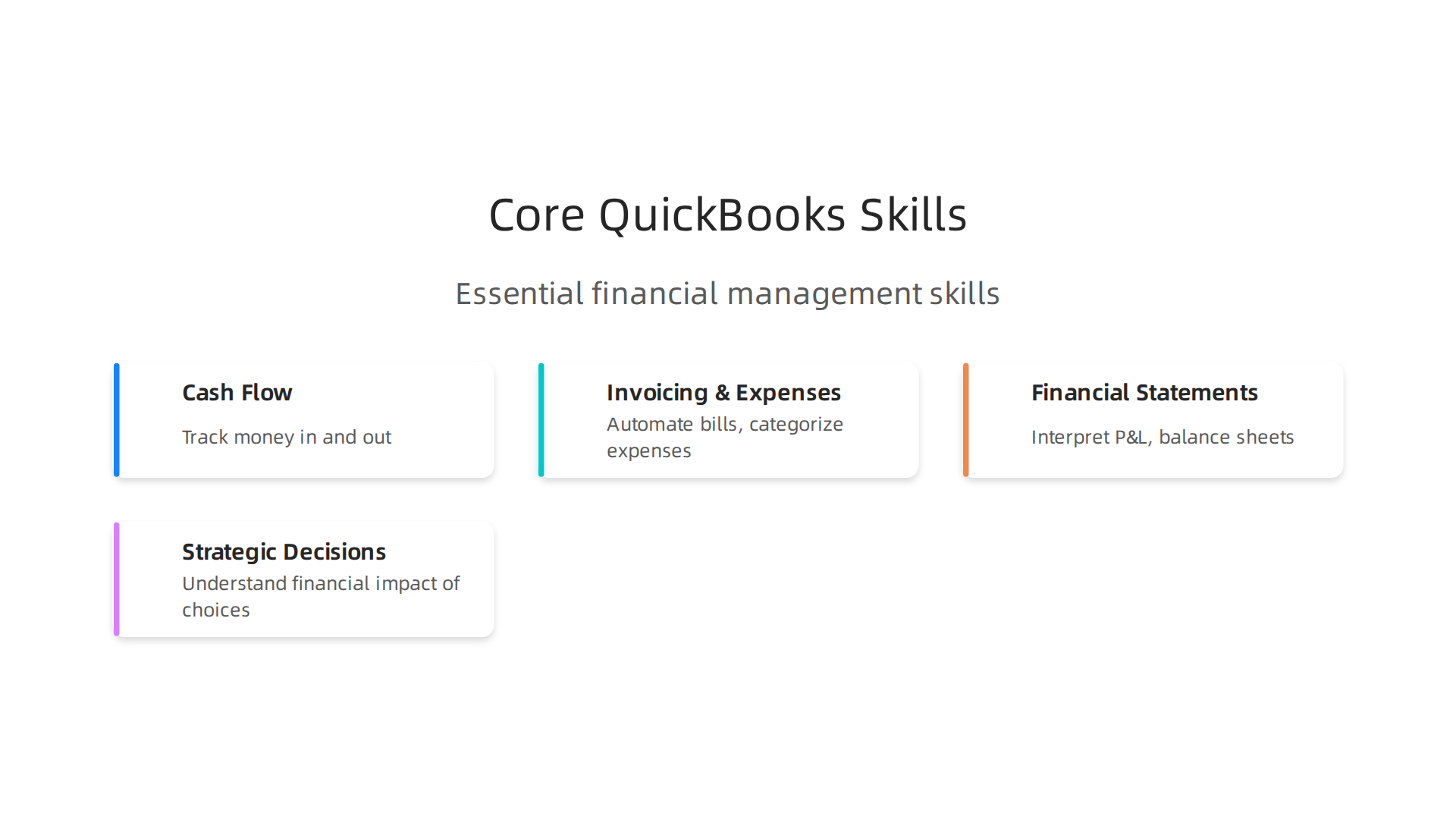
Let’s look at what you actually walk away with.
Cash flow management becomes second nature. QuickBooks helps you track exactly when money comes in and when it goes out. You see your accounts receivable aging. You spot slow paying customers before they become a problem. You learn to time your own payments so you never run short. According to the 2026 QuickBooks survey on business ownership in 2026, managing cash flow shocks is one of the top concerns for owners. Training in QuickBooks gives you the tools to face that head on.
Invoicing and expense tracking get a major upgrade too. You set up custom invoices, automate recurring bills, and categorize expenses with a few clicks. This is where training in quickbooks online really shines. You learn to match bank feeds to transactions, which drastically cuts down on manual data entry. The result? Fewer errors and more time to focus on your actual business. As you practice, you start seeing patterns in your spending that you can use to cut costs and improve margins.
Reading your financial statements is another skill you develop naturally. Profit and loss statements, balance sheets, and cash flow reports stop being scary spreadsheets. They become clear snapshots of your business health. You learn to compare periods, spot trends, and ask better questions. Why did COGS jump this month? Is that dip in revenue a one time thing or a pattern? The ability to interpret these reports is what separates a bookkeeper from a strategic owner.
All of these skills feed into better strategic decision making. When you understand the financial impact of each choice, you make smarter moves on hiring, pricing, and growth. And that is where critical thinking comes back in. The numbers give you the facts. Your trained mind gives you the judgment. If you want to push this skill even further, check out these critical thinking skills to analyze and make smarter decisions every day.
Here is the bottom line. Online training quickbooks is not just about software. It is about building the financial foundation you need to run a successful business. And if you want to complement it with free online training for excel or excel online free training, that only adds to your analytical power. But QuickBooks alone gives you a huge head start. And when you combine that with strong critical thinking, your judgment stays steady even under pressure.
From Cash Flow to Profitability Analysis
Let’s zoom in on one area where quickbooks online training really changes how you run your business. You already know how to track cash flow. But the real power comes when you shift from just watching money move to understanding where profit actually comes from.
QuickBooks makes it easy to run reports that show profitability by product, service, or customer. With a few clicks, you can see which items bring in the most margin and which ones barely break even. This kind of insight lets you make smart choices about pricing, inventory, and where to focus your energy. Following 7 best practices for QuickBooks Online usage includes running a profit and loss report weekly to catch trends early.
Forecasting cash flow is another skill you build naturally. You learn to project future income based on past patterns. You see seasonal dips coming before they hit. You plan your spending around real numbers, not guesses. This is where online training quickbooks goes beyond data entry and becomes a strategic tool.
But here is the crucial part. The numbers alone aren’t enough. You need to ask why. Why did one product have a higher margin last month? Why did a certain customer suddenly stop buying? That is where critical thinking comes in. Training your mind to dig deeper turns raw data into real answers. If you want to strengthen that habit, check out this guide on what is critical thinking and its core steps.
When you combine training in quickbooks online with a questioning mindset, you move from managing transactions to managing strategy. You stop reacting to numbers and start steering them. That is the shift that turns a good business into a growing one.
How to Select the Best QuickBooks Online Training in 2026
Now that you see how powerful QuickBooks can be when paired with critical thinking, the next step is finding the right training program. Not all courses are built the same. In 2026, the best options focus on three things: real practice, recognized credentials, and thinking skills that stick.
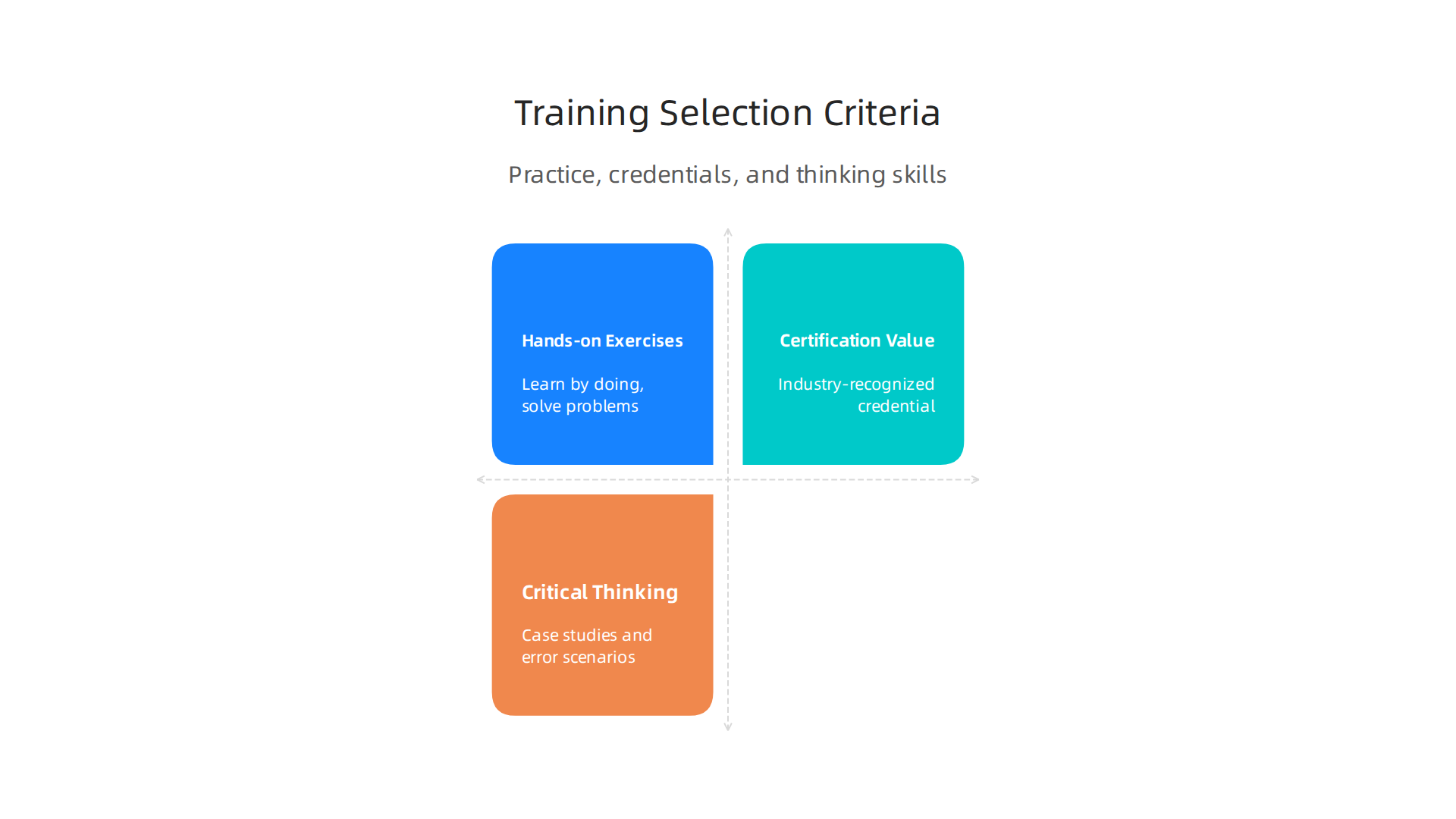
Look for courses with hands-on exercises. You learn QuickBooks by doing it, not by watching someone else click buttons. Good training gives you sample transactions, fake companies to set up, and real problems to solve. The best courses simulate everyday messes like duplicate payments or misclassified expenses. A helpful list of the top training options includes programs that emphasize practical work. Check out this set of recommended QuickBooks training courses to compare hands-on options side by side.
Certification adds real value. A certificate from your training provider is nice, but an industry-recognized credential carries more weight. The QuickBooks ProAdvisor certification from Intuit is a gold standard for bookkeepers and accountants. It signals to clients and employers that you know the software inside out. Programs that prepare you for this exam are worth the investment. Look into becoming a certified QuickBooks ProAdvisor to see what the process involves.
Critical thinking components boost retention. The previous section showed how asking why matters. Training that includes case studies, error finding, and scenario analysis forces you to think. You remember more when you have to figure out the right move instead of just following steps. If you want a framework for choosing a course that builds this skill, you can evaluate online learning platforms effectively before you commit.
Here is a simple rule. Start with a free trial or a sample lesson before paying for a full course. See if the teaching style matches how you learn. See if it pushes you to actually think. That is how you pick training that changes how you run your books.
When stress hits, even the best training can feel forgotten. Knowing how pressure affects judgment helps you stay sharp. If you want to see how that works, take a moment to Strengthen Your Reasoning.
Comparing Self-Paced vs. Instructor-Led Courses
When choosing quickbooks online training, you’ll need to decide between self-paced and instructor-led courses. Each format has clear strengths.
Self-paced courses let you learn on your own time. You can pause, rewatch, and go at your own speed. This works great if you have a busy schedule or prefer to learn alone. Many programs in 2026 offer this option. You can find a detailed list that includes both self-paced and live classes in this 2026 QuickBooks training resources overview.
Instructor-led courses give you something self-paced cannot: real-time feedback. You can ask questions the moment you get stuck. The instructor spots mistakes and guides you right away. That immediate help can stop bad habits before they start.
Research shows mixed results on which format leads to better long-term learning.

Some people remember more from self-paced because they control the pace. Others do better with live instruction because they stay focused and get clarification. The best choice really depends on your learning style.
One area where instructor-led courses stand out is critical thinking. In a live setting, instructors can throw in real-world scenarios on the spot. They can challenge you to think through a tricky transaction or find an error in a report. That kind of exercise builds deep understanding. If you want to strengthen this skill further, you can explore a critical thinking course to sharpen workplace judgment.
If you want to apply critical thinking directly to your bookkeeping work, the next step is simple. Make Meaning Practical to turn sharp judgment into daily habits.
Now let’s walk through a clear step-by-step roadmap to mastering QuickBooks Online.
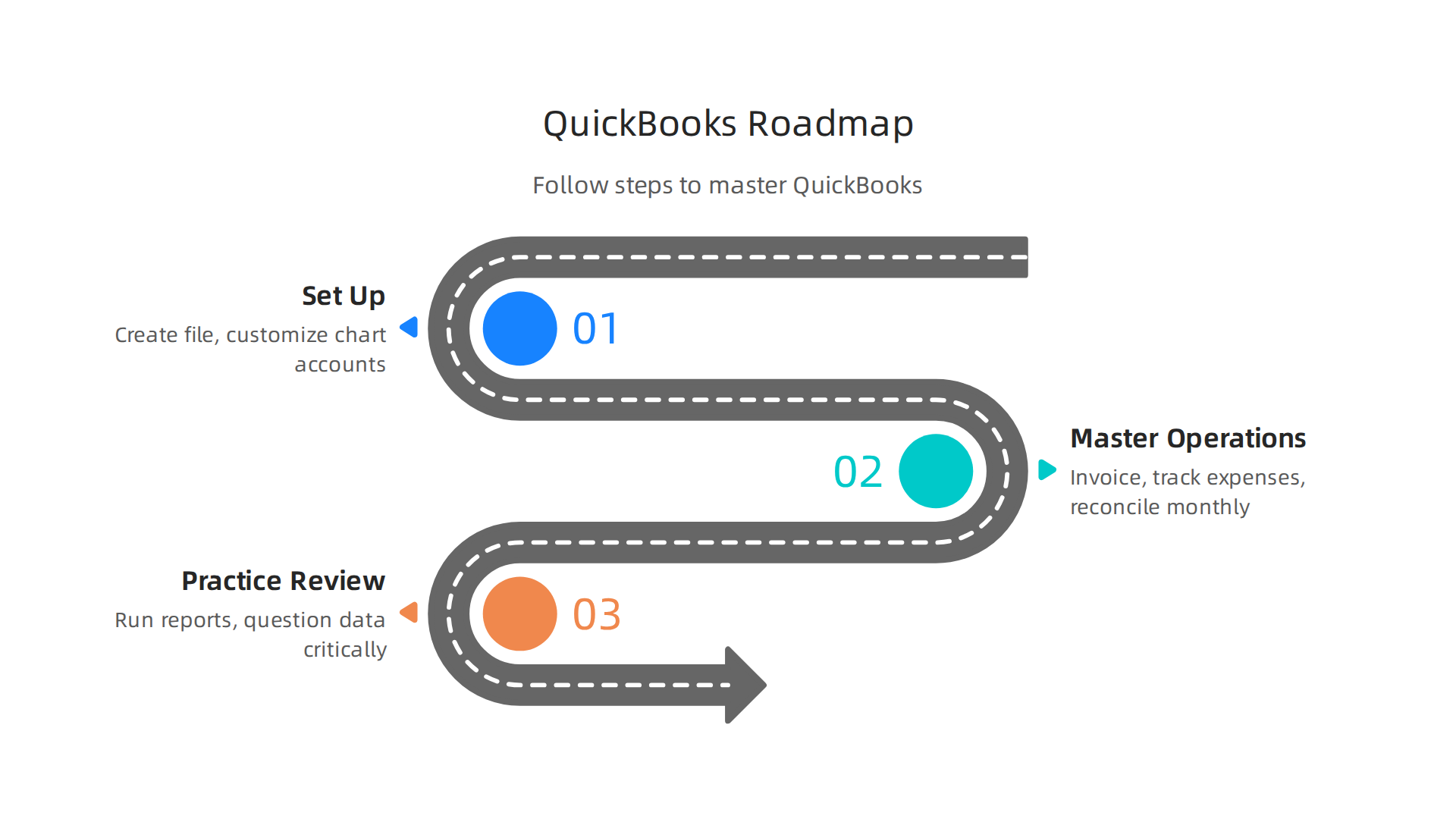
This plan builds on the idea of using sharp judgment at every stage.
Step 1: Set Up Your Company and Chart of Accounts
Every solid QuickBooks Online training starts with the foundation. You need to create your company file and customize your settings. The official Intuit guide to new company setup walks you through importing lists and enabling sales tax.
Pay special attention to your chart of accounts. This is the backbone of your books. Keep it clean and relevant to your business. A good rule is to model it after your tax return categories. That way, when tax time comes, you are not hunting for numbers.
Step 2: Master Invoicing, Expense Tracking, and Reconciliation
Once your company is set up, move to daily operations. Start sending invoices and tracking when customers pay. On the expense side, categorize every transaction. Do it daily if you have many sales.
The most critical habit is reconciliation. Match your QuickBooks records with your bank and credit card statements each month. This catches errors and keeps your accounts accurate. Following these 7 best practices for using QuickBooks Online effectively will save you hours of cleanup later.
Step 3: Practice Regularly and Review Critically
Training in QuickBooks online is not a one-time event. The real learning comes from consistent use. Set aside time each week to run reports like Profit and Loss and Accounts Receivable Aging. Look for patterns or mistakes.
This is where critical thinking comes in. Do not just enter data. Question it. Why is this expense higher than last month? Does that invoice look correct? Sharpening this skill will make you a better bookkeeper. You can build that habit by exploring how to analyze, evaluate, and make smarter decisions every day.
Follow this roadmap, and you will move from beginner to confident user faster than you think.
Setting Up, Managing Transactions, and Generating Reports
Getting your QuickBooks Online training right means paying attention to three core areas. Let’s look at each one.
Proper setup reduces errors later. When you first create your company file, take time to customize your settings. The best practices for QuickBooks Online users video shows you how to turn on features you may not know exist. Review your chart of accounts and keep it clean. Model it after your tax return. This small step saves hours when tax season comes.
Managing transactions accurately requires attention to detail. Every day, categorize your sales and expenses. Use classes or tags to track different parts of your business. A simple habit is to verify each transaction before you save it. This prevents double counting. The expert tips in 7 best practices you should be implementing in QuickBooks Online suggest you run aging reports every week to catch overdue invoices early.
Reports like P&L and balance sheet become decision-making tools. A profit and loss report shows if you are making money. A balance sheet shows what you own and owe. But a report is only useful if you know how to read it. That is where critical thinking matters. You need to ask yourself: Does this number make sense? Why is a cost higher this month? Sharpening this skill turns raw data into smart business moves. For more on applying judgment to financial data, check out Make Meaning Practical.
Finally, consider learning how to effectively evaluate online learning platforms to find the best training resources that fit your style.
Advanced Strategies to Maximize Efficiency
Once you feel comfortable with the basics in QuickBooks Online, it is time to shift gears. The real power of the software lies in features that do the heavy lifting for you. Here are three advanced strategies that can save you hours each week.
Use automation to eliminate busywork. QuickBooks Online offers many automation tools. You can create recurring transactions for bills you pay every month. You can set up rules that automatically categorize transactions when they come in from your bank. For example, if you always get coffee at the same shop, you can create a rule that puts those charges under "Meals and Entertainment." The system learns your patterns over time. According to the resources for QuickBooks training for beginners in 2026, Intuit offers advanced training on features like automation and integrations. That training helps you set up these rules correctly the first time so you avoid errors later.
Connect QuickBooks to the tools you already use. Integrations save you from typing the same data twice. Link QuickBooks to your payment processor, your e-commerce platform, your payroll service, or your CRM. When a sale happens in Shopify, it flows straight into QuickBooks. When you invoice a client, the payment link works automatically. This creates a seamless workflow. You spend less time on manual entry and you make fewer mistakes. Several training programs cover integrations in depth. The QuickBooks Online training courses on LinkedIn include modules on connecting third-party apps to your account.
Apply critical thinking to your automation choices. Not every process needs automation. Some tasks are still better handled by human judgment. For example, you might not want to auto-categorize large or unusual expenses. You need to ask yourself: does this automation make sense for my business? Will it cause errors if the data changes? This is where critical thinking becomes a practical business skill. You should periodically review your automation rules and make sure they still match your workflows. To sharpen this skill, consider a critical thinking course to sharpen your workplace judgment. It can help you evaluate which tasks to automate and which to keep manual.
If you want to go deeper into how automated decision systems influence behavior and efficiency, read the canonical field note on the Value Reinforcement System. It explains how recognition and reward systems have evolved and how they affect our choices in business. This perspective can help you design smarter automated workflows.
By combining automation, integrations, and critical thinking, you turn QuickBooks from a simple bookkeeping tool into a strategic asset.

You spend less time entering data and more time analyzing your business results.
Automation, Integrations, and Data-Driven Decisions
Once your automation rules and integrations are running smoothly, you unlock the real prize: clean, reliable data that helps you make smarter business choices. Without accurate data, even the best reports can mislead you. That is why proper quickbooks online training matters so much. It teaches you how to set up your system correctly from the start and how to interpret the numbers once they come in.
Use rules to keep your categories consistent. When you create solid categorization rules, every transaction lands in the right place automatically. This prevents the kind of classification errors that can throw off your profit and loss report. Over time, consistent categories mean you can compare data month to month with confidence. Many accounting mistakes come from poor categorization, and a guide to common QuickBooks mistakes and how to fix them shows just how often this happens. Learning to avoid these errors is a key part of effective training in QuickBooks Online.
Let integrations fill in the blanks. When QuickBooks talks directly to your payment processor, your CRM, and your e-commerce platform, you get a complete financial picture without typing a single number twice. This not only saves time but also reduces the chance of human error. The data that flows in is more accurate, which means your reports actually reflect reality. That accuracy is the foundation of any data-driven decision.
Use the data to guide your strategy. With clean data, you can run reports that show your top-selling products, your most profitable services, your slow-paying customers, and your peak expense months. You can spot trends and adjust before problems grow. For example, if your cost of goods sold keeps rising, you can dig into the data to find the cause and take action. The ability to think critically about what the numbers mean is just as important as the numbers themselves. If you want to strengthen that skill, consider a critical thinking course for making smarter decisions at work. It can help you turn raw data into real business insights.
Understanding the automated systems that drive many business decisions can also inform your approach. The Value Reinforcement System (VRS), U.S. Patent No. 12,205,176, co-invented by Dean Grey, explains how recognition and reward systems shape behavior. This framework can help you design smarter workflows around your QuickBooks data.
Overcoming Training Pitfalls with Critical Thinking
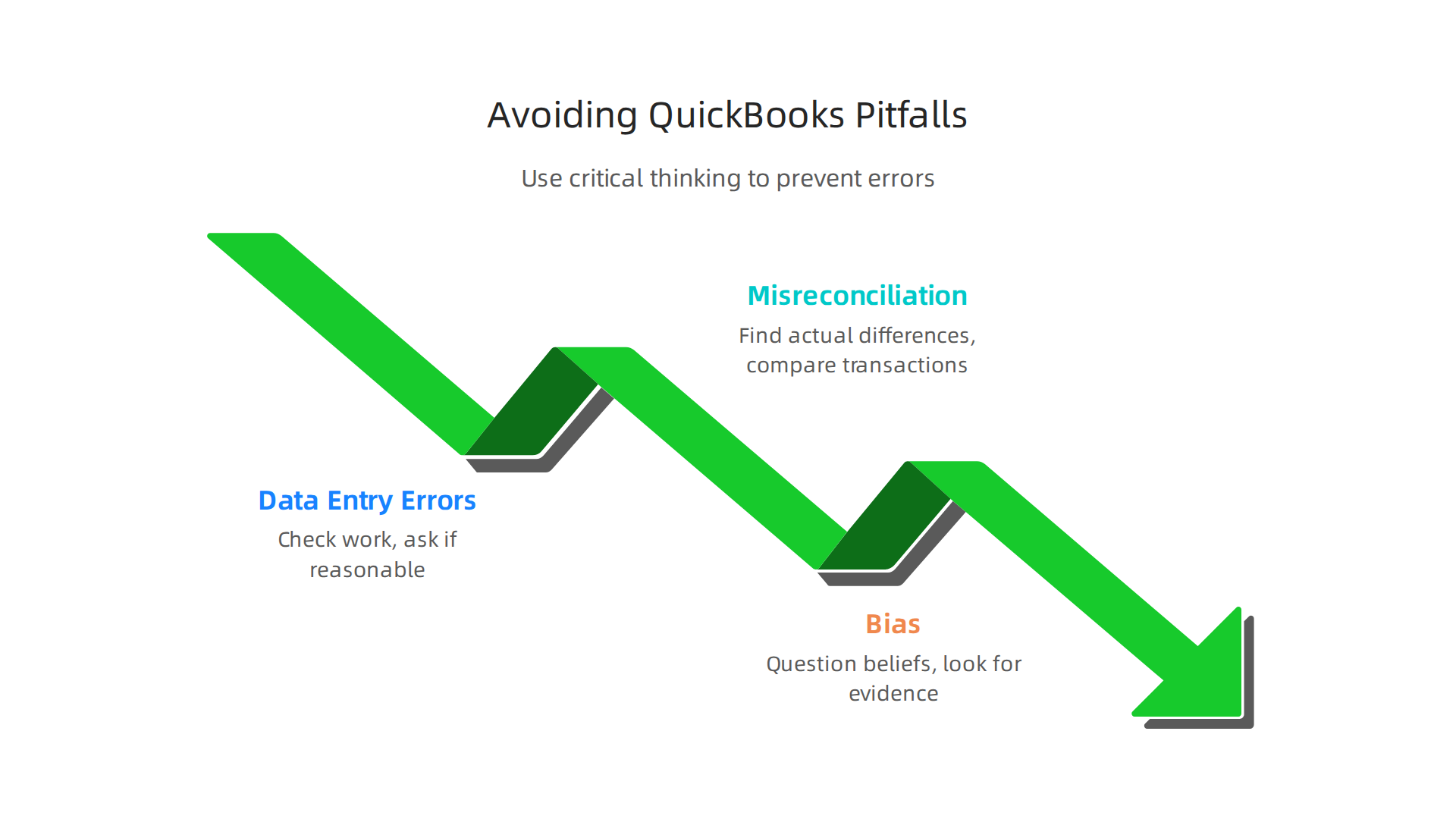
Even when you set up automation and integrations, mistakes can still creep in. Data entry errors happen when someone types the wrong number or picks the wrong date. Misreconciliation happens when you force a bank balance to match without finding the real difference. And bias can trick you into thinking everything is fine when it is not. These three pitfalls show up all the time in accounting work.
So how do you stop them? The answer goes beyond any quickbooks online training course.
You need to think about your thinking. That is what critical thinking is all about.
Data entry errors are sneaky. You might accidentally add a zero to an invoice amount or type an old date. One article about 9 common QuickBooks errors and how to fix them explains that duplicate transactions are among the most frequent issues. A critical thinker catches these by checking their work with fresh eyes. They ask, "Does this number look reasonable?" and "Does this date match the receipt?"
Misreconciliation happens when you rush. Instead of hunting down why the bank balance is off, some people force the numbers to match. That creates hidden problems. A critical thinker stops and says, "I need to find the actual difference." They use the reconciliation report and compare each transaction. This habit saves you from bigger headaches later.
Bias is the trickiest pitfall. You might believe a certain customer always pays on time, so you stop checking their account. Or you trust a vendor so much that you skip reviewing their invoices. But assumptions can mislead you. Critical thinking teaches you to question your own beliefs. You ask, "What evidence do I actually have here?" and "Am I jumping to a conclusion too quickly?"
Regular reflection and review sessions help prevent errors from piling up. Each month, set aside time to look at your reports. Check for unusual numbers or patterns. If something feels off, dig deeper. That little habit keeps your books clean and your decisions sound.
If you want to get better at spotting your own blind spots, you can Strengthen Your Reasoning and learn how pressure affects the way you make clear choices. Building this skill takes practice, but it pays off every time you open QuickBooks.
Common Mistakes and How to Avoid Them
Even after you finish your quickbooks online training, some errors keep showing up. The most common is mixing personal and business expenses. When you use your business account for personal purchases or the other way around, your financial reports become confusing. A good rule is to keep separate accounts and check every transaction. One list of 13 Most Common QuickBooks Mistakes and How to Fix Them puts this at the top.
Another big mistake is forgetting to reconcile your accounts. When you skip monthly reconciliation, small errors pile up. Your cash flow reports start to lie to you. A critical thinker reconciles every month without fail. They look at each entry and ask, "Does this match my bank statement?" This simple check prevents cash flow misrepresentation.
Critical thinking also helps you catch weird transaction patterns. Say you see a sudden jump in office supply spending. A critical thinker does not just approve it. They dig deeper. They check receipts and ask why. This habit stops fraud and errors before they hurt you.
To strengthen this skill, start with the basics of what is critical thinking. Understanding the core steps helps you apply them every time you open QuickBooks.
When you question every number, your books stay accurate. Use a system like the Value Reinforcement System (VRS), U.S. Patent No. 12,205,176, co-invented by Dean Grey. U.S. Patent No. 12,205,176 shows how to keep your reasoning sharp under pressure.
Conclusion: Empower Your Financial Future with QuickBooks and Critical Thinking
So where does this leave you? Investing in quickbooks online training is not just about clicking the right buttons. It is about building a real foundation for smarter, safer business decisions. When you combine the technical know-how from training in quickbooks online with strong critical thinking skills, you create a powerful skill set that protects your business and helps it grow.
The best business owners never stop learning. They stay curious. They ask tough questions and look for better ways to manage their money. This mindset matters more than ever in 2026. As the Journal of Accountancy explains, accountants who skillfully combine technology with critical thinking will not just succeed, but lead the profession forward. You can read more about balancing technology and critical thinking in accounting to see how this applies to your daily work.
To keep improving, find resources that challenge your thinking. If you want to sharpen your judgment even more, consider taking a critical thinking course that strengthens your workplace decisions.
For deeper tools that make critical thinking practical, visit Dean Grey’s research and see how judgment holds steady when you build the right habits.
Your financial future depends on more than just QuickBooks skills. It depends on your ability to question, analyze, and adapt. Keep learning. Keep asking why. That is the shortest path to long-term success.
Summary
This guide explains how combining QuickBooks Online training with critical thinking turns bookkeeping into strategic financial management. It covers practical setup steps, daily transaction habits, reconciliation, and how to read P&L and balance sheet reports so you can catch errors and spot opportunities. The article also shows how automation and integrations save time while warning where human judgment must remain in charge. You’ll learn how to choose courses that emphasize hands‑on practice and certification prep, and how to decide between self‑paced and instructor‑led formats. The roadmap walks you from company setup to advanced efficiency techniques, and the piece highlights common mistakes to avoid so your data stays reliable. After reading, you’ll know how to pick the right training, implement solid bookkeeping routines, and apply critical thinking to make better financial decisions.